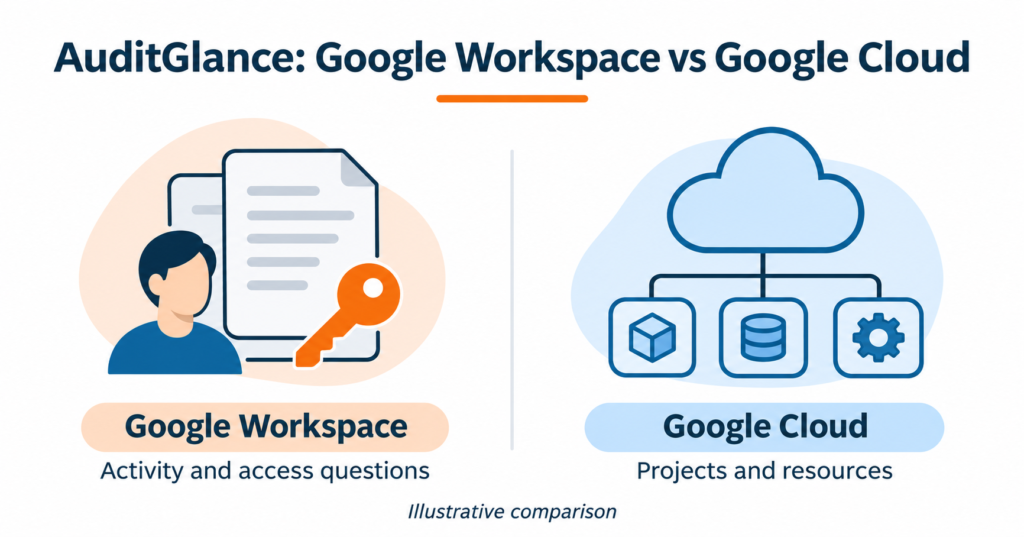
A question about shared Drive files needs a different review from a question about an unused cloud resource. Start by identifying the environment and the decision your team needs to make.
Choose GWS AuditGlance for Google Workspace activity and security visibility. Choose GCP AuditGlance for Google Cloud project and resource visibility. An organisation using both can discuss both scopes, with access and product arrangements confirmed separately.
Compare the two products
| Your question | GWS AuditGlance | GCP AuditGlance |
|---|---|---|
| Which environment does it cover? | Google Workspace, including identity, collaboration and administrator activity. | Supported assets and signals within connected Google Cloud projects. |
| What might the team review? | MFA posture, Drive sharing, third-party OAuth access and user investigation evidence. | Asset inventory, security findings, access configuration and GCP Recommender signals. |
| What decision can it support? | Which account, access or collaboration issue needs administrator review? | Which finding or potentially unused resource needs the workload owner’s attention? |
| What affects coverage? | Workspace edition, enabled services, available logs and the agreed connection scope. | Authorised projects, available evidence, supported services and the assigned application plan. |
| How does the commercial route differ? | A paid product quotation based on user count and deployment scope. | A public Free entry and Pro/Max plans. Confirm the assigned plan and current allowances. |
| What is the useful first step? | Discuss the Workspace question, edition and approximate user count. | Discuss the cloud question, approximate project count and who can authorise access. |
These are the published product scopes, rather than a promise that every feature is included in every deployment. The GWS product page and GCP product page describe the two routes.
Start with the evidence you need
For Workspace, the starting question could be: “Which externally shared files need an owner review?” GWS AuditGlance brings relevant activity and risk views together for administrators. Confirm the available evidence for your edition before agreeing the review. GWS product scope.
For GCP, a useful question could be: “Which resources should we investigate for possible waste?” The application describes asset-based unused-resource signals and GCP Recommender suggestions. A flagged resource still needs context: a standby resource or scheduled workload can have a valid reason to remain. Any savings estimate needs validation against the workload and its costs. GCP features.
What to prepare before access is discussed
Bring a short brief to the first conversation. You can establish fit without sending account exports or access material.
| Preparation | For Workspace | For GCP |
|---|---|---|
| Scope | Edition, approximate user count and the account or collaboration question. | Approximate project count, workload types and the resource or security question. |
| Responsible people | An authorised Workspace administrator and the person responsible for the business decision. | The project owner or authorised cloud administrator, plus the workload owner. |
| Evidence requirements | The period to review and the services involved. Ask which logs and controls your edition exposes. | The projects and services to include. Ask which signals the proposed plan and connection can provide. |
| Access and data handling | Ask the team to confirm the connection method, required permissions, data handling and onboarding availability. | The published workflow describes a customer-provisioned read-only service account. Confirm the approved setup, current terms and data handling before connecting a live project. |
Keep passwords, service-account keys and confidential exports out of the initial email or chat. Any required GCP key is handled by the customer through the approved product workflow. This article does not prescribe IAM roles or authorise a connection. The exact role set and onboarding instructions need confirmation for the agreed scope. Published GCP connection outline.
An illustrative review: turning a signal into a decision
The examples below use invented situations. They contain no customer data, measured result or product-report extract.
| Example | Question to investigate | Human review | Recorded next step |
|---|---|---|---|
| Workspace: a file appears in an external-sharing review. | Is the sharing intentional, and who owns the file? | The file owner and administrator check the intended recipients and business use. | Keep the access with a documented reason, or approve a separately controlled correction. |
| GCP: a resource appears potentially unused. | Does a scheduled job, recovery arrangement or dependency still need it? | The workload owner checks the observation period and operating purpose. | Retain it with a reason, investigate further or approve a separate change. |
For either product, a useful review records the evidence available, its limits, the responsible owner and the decision. A follow-up date gives the team a way to check whether an approved action helped. A finding alone is not a completed fix.
Product access, assessment and implementation have different scopes
GWS AuditGlance is a recurring product route. A human-led Workspace Security Assessment is a separate engagement. Confirm which you need in the initial discussion so a one-off assessment is not mistaken for a subscription.
GCP application access and human engineering help are also agreed separately. The application plan page describes plan entitlements. Confirm your assigned allowance with the team before relying on a project limit, scan frequency or AI entitlement. This comparison does not set those quantities.
Ask for a written scope covering the product, onboarding, any engineer review and any implementation work. Findings and framework mappings can support a review or audit process. They do not establish certification or a guaranteed security outcome. An enquiry or registration does not change your reseller or billing relationship.
Choose the next conversation
For Workspace, share your edition, approximate user count and the activity or access question you want answered. Request a GWS AuditGlance fit discussion.
For GCP, share your approximate project count, the decision you need to make and who can authorise the proposed review. Request a GCP AuditGlance fit discussion.
If you need to see the workflow first, request a walkthrough using demo or sanitised material agreed in advance. The team confirms availability and scope before any live-environment access.