Before your Google Workspace renewal, check what your team needs next
A renewal review starts with the subscription you have and the work your team needs to do. Bring the current edition, committed licence count and renewal date. Add one example of work that still takes too much effort, such as finding an approved file or preparing a meeting follow-up.
Use the worksheet below with your subscription owner and the person who knows the team's daily work. Keep it inside your organisation until you have agreed what to share.
Your renewal and adoption worksheet
Workspace renewal and adoption worksheet| Review item | What to record | What it helps you decide |
|---|
| Subscription and owner | Exact edition, reseller or direct purchase, business owner and administrator | Who can confirm the subscription and approve a change |
|---|
| Dates and commitment | Plan type, renewal date, commitment end and notice deadline from your agreement | When a decision is needed and which changes can take effect |
|---|
| Licences and staffing | Committed licences, assigned licences and expected joiners or leavers | Whether the next term needs a different licence count |
|---|
| Work requirements | Storage, meetings, records and access requirements that affect daily work | Whether the current edition still fits |
|---|
| One adoption problem | The task, current workaround and people affected | Whether configuration, training or an edition review is the useful next step |
|---|
| AI access and use | Current edition, approved account, feature needed and any access or usage-limit issue | Whether to use an included feature or assess an optional upgrade |
|---|
| Follow-up | One owner, a review date and a simple check of the result | Whether the agreed action helped before extending it to more people |
|---|
Check the commitment before changing the count
Confirm your current plan, commitment end date and the notice deadline in your agreement before requesting a licence change. For an annual commitment, ask which changes can take effect at renewal. Keep the committed licence count separate from the number currently assigned to staff.
Use aggregate counts for the first conversation. Keep staff lists, account details and any proposed account changes with your authorised administrator.
Separate a missing feature from a learning need
Suppose staff email several versions of a document because nobody knows which shared file is approved. Record that workaround before comparing editions. The first action could be agreeing the file owner and helping the team use the current setup.
If the task needs a feature your edition does not provide, record the feature and who needs it. Compare that requirement with the Workspace edition guide. A sign-in count alone does not tell you whether staff can complete the work.
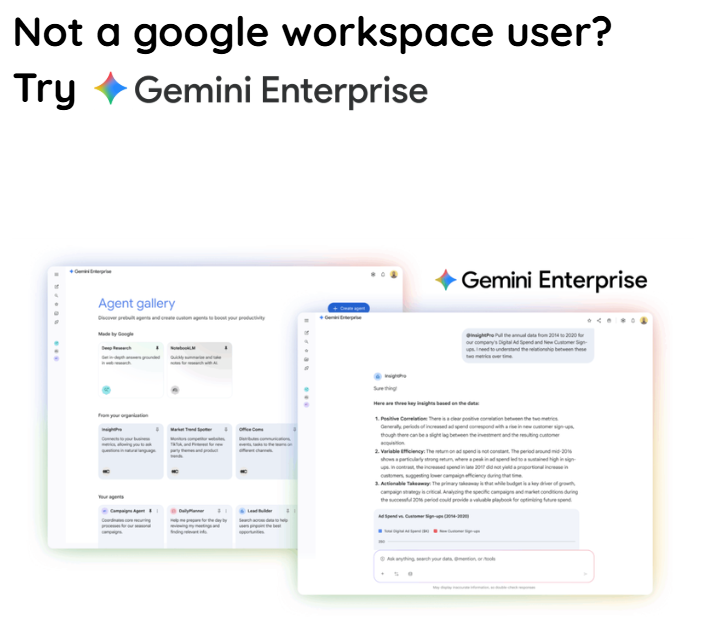
For AI, check the exact feature and account first. Google includes AI capabilities in Workspace Business and Enterprise editions, with differences in access and limits. The Gemini for Workspace guide explains included AI, optional higher access and the separate Gemini Enterprise product. Confirm the current entitlement before adding another subscription.
Choose one approved task for a small adoption check. Record the current method, the output you expect and who will review it. After trying the method, note corrections and effort as well as completion time. A result that still needs extensive checking is useful evidence for the next training conversation.
Leave the review with a clear request
Your next step might be to retain the current edition, request a licence change at renewal, review an edition upgrade or discuss team training. State the reason and the person responsible. Confirm any licensing, training or implementation scope in the proposal before work begins.
For price comparisons, use the current MatrixC pricing guide. Ask for a quotation showing the currency, per-user period, commitment, tax and any separately scoped services. This worksheet does not set your renewal price or change your agreement.
To discuss your renewal, share your current edition, approximate licence count, renewal month and one task your team wants to improve. Leave passwords, account exports and confidential documents out of the initial message.
Discuss your Workspace renewal with MatrixC