

Business Starter
| Plan basis | Before SST | With 8% SST |
|---|---|---|
| Annual commitmentMonthly equivalent; 12-month commitment | RM29.20 | RM31.54 |
| Flexible planBilled monthly | RM35.00 | RM37.80 |
Choosing a plan is one part of getting Google Workspace working for your business. Your team may also need help moving email, managing access or using the tools it already has.
Compare the Business-plan prices below or ask about editions, pricing and included features in a free Google Workspace consultation. Migration, administrator support and training are quoted separately.
Standard list prices in MYR, per user. The figures below show prices before SST and including 8% SST.
Annual figures are monthly equivalents for comparison, not a monthly-billing offer. Monthly billing is shown only for the Flexible plan. Confirm payment terms in your MatrixC quotation.
| Plan basis | Before SST | With 8% SST |
|---|---|---|
| Annual commitmentMonthly equivalent; 12-month commitment | RM29.20 | RM31.54 |
| Flexible planBilled monthly | RM35.00 | RM37.80 |
| Plan basis | Before SST | With 8% SST |
|---|---|---|
| Annual commitmentMonthly equivalent; 12-month commitment | RM58.40 | RM63.07 |
| Flexible planBilled monthly | RM70.00 | RM75.60 |
| Plan basis | Before SST | With 8% SST |
|---|---|---|
| Annual commitmentMonthly equivalent; 12-month commitment | RM91.70 | RM99.04 |
| Flexible planBilled monthly | RM110.00 | RM118.80 |
Google Workspace Business plans include Gemini capabilities. Availability depends on the edition and administrator settings. For a separate Gemini Enterprise enquiry, see our Gemini Enterprise service page; you can also read our Gemini for Workspace guide.
Prices checked on 28 October 2026 against Google’s MYR plan comparison. These are standard list comparisons, not a promotional or negotiated renewal quotation. Confirm the edition, user count, commitment and payment terms before ordering. Migration, administrator support, training and Enterprise requirements are quoted separately. SST is rounded to two decimal places for each displayed equivalent; an annual quotation may round the total differently.
If you need more than 300 licences, request a Google Workspace Enterprise quotation. Include your estimated user count and any migration or support you need. If you already use Workspace, include your current edition and renewal month.
Request a Google Workspace Enterprise quotation
If you also need to review who has access and what is shared across your domain, see AuditGlance below.
Training, migration and administrator services are scoped separately from the licence price. Confirm the edition, user count, commitment and payment terms in your quotation.
Bring your approximate user count, current edition and renewal or commitment details. Discuss what the business needs before comparing quotations. A low headline price is not a full description of the plan or services.
Describe the current system, what needs to move and the teams affected. Agree the migration boundary, preparation, cutover and checks before work starts. Keep users informed about the change and the help available to them.
If people have access but still struggle with documents, shared information or AI-assisted work, identify a task they need to do better. Review the relevant Academy learning path and agree the training scope separately.
Explore MatrixC AcademyMatrixC helped KPJ Healthcare move to Google Workspace during COVID-19. Google's customer story explains the migration and the team's work to keep collaboration running.
Read the KPJ storyA renewal review starts with the subscription you have and the work your team needs to do. Bring the current edition, committed licence count and renewal date. Add one example of work that still takes too much effort, such as finding an approved file or preparing a meeting follow-up.
Use the worksheet below with your subscription owner and the person who knows the team's daily work. Keep it inside your organisation until you have agreed what to share.
| Review item | What to record | What it helps you decide |
|---|---|---|
| Subscription and owner | Exact edition, reseller or direct purchase, business owner and administrator | Who can confirm the subscription and approve a change |
| Dates and commitment | Plan type, renewal date, commitment end and notice deadline from your agreement | When a decision is needed and which changes can take effect |
| Licences and staffing | Committed licences, assigned licences and expected joiners or leavers | Whether the next term needs a different licence count |
| Work requirements | Storage, meetings, records and access requirements that affect daily work | Whether the current edition still fits |
| One adoption problem | The task, current workaround and people affected | Whether configuration, training or an edition review is the useful next step |
| AI access and use | Current edition, approved account, feature needed and any access or usage-limit issue | Whether to use an included feature or assess an optional upgrade |
| Follow-up | One owner, a review date and a simple check of the result | Whether the agreed action helped before extending it to more people |
Confirm your current plan, commitment end date and the notice deadline in your agreement before requesting a licence change. For an annual commitment, ask which changes can take effect at renewal. Keep the committed licence count separate from the number currently assigned to staff.
Use aggregate counts for the first conversation. Keep staff lists, account details and any proposed account changes with your authorised administrator.
Suppose staff email several versions of a document because nobody knows which shared file is approved. Record that workaround before comparing editions. The first action could be agreeing the file owner and helping the team use the current setup.
If the task needs a feature your edition does not provide, record the feature and who needs it. Compare that requirement with the Workspace edition guide. A sign-in count alone does not tell you whether staff can complete the work.
For AI, check the exact feature and account first. Google includes AI capabilities in Workspace Business and Enterprise editions, with differences in access and limits. The Gemini for Workspace guide explains included AI, optional higher access and the separate Gemini Enterprise product. Confirm the current entitlement before adding another subscription.
Choose one approved task for a small adoption check. Record the current method, the output you expect and who will review it. After trying the method, note corrections and effort as well as completion time. A result that still needs extensive checking is useful evidence for the next training conversation.
Your next step might be to retain the current edition, request a licence change at renewal, review an edition upgrade or discuss team training. State the reason and the person responsible. Confirm any licensing, training or implementation scope in the proposal before work begins.
For price comparisons, use the current MatrixC pricing guide. Ask for a quotation showing the currency, per-user period, commitment, tax and any separately scoped services. This worksheet does not set your renewal price or change your agreement.
To discuss your renewal, share your current edition, approximate licence count, renewal month and one task your team wants to improve. Leave passwords, account exports and confidential documents out of the initial message.
If the question concerns account access, external sharing or connected applications, start by identifying the evidence needed. GWS AuditGlance is a separate product conversation from Workspace licensing or a training booking.
Discuss the Workspace edition, review question and available evidence. Confirm access arrangements, product scope and any human follow-up before connecting an environment or agreeing work.

Gemini can help with everyday work in supported Workspace apps. Features vary by edition and administrator settings.

See which features fit your team and what to check before rollout.
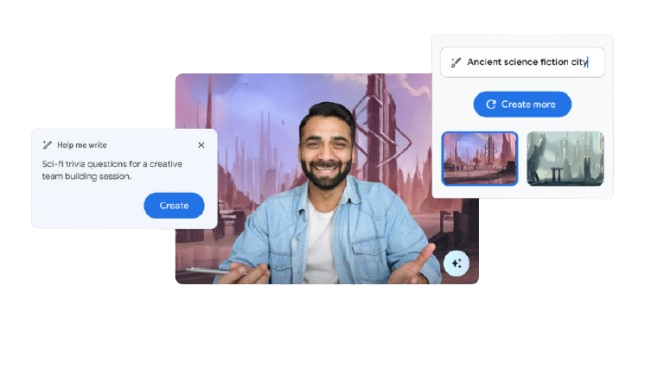




Check your Workspace edition, administrator settings and usage limits before planning a rollout.
Your data is protected by Google’s world-class security infrastructure. Admins gain a “single pane of glass” to manage the entire organization.
Automatically identify and protect sensitive information from being shared externally.
Retain, archive and search your organization’s data for legal and compliance needs.
Control who accesses your data on any device—mobile, tablet, or laptop—and remotely wipe data if a device is lost.
Google reports that Gmail automatically blocks more than 99.9% of spam, phishing attempts and malware. Read Google’s threat-prevention explanation.
Tell us your approximate user count, current tools and what needs to change. Ask about editions, pricing and features in a free Workspace consultation. Implementation, training and human-led security assessments are quoted separately. If you need training, describe the roles and tasks involved.
You do not have to choose a platform or service before asking for help. Keep passwords and confidential exports out of the initial message. MatrixC can clarify the next step and agree what belongs in the proposal.