In today’s interconnected corporate landscape, the ability to prevent GWS data leaks has become a cornerstone of modern Cyber Risk Management. Many organizations rely heavily on Google Workspace (GWS) for daily collaboration. However, they frequently overlook the massive vulnerabilities hidden behind default settings, shared drives, and third-party integrations.
Without specialized oversight, sensitive corporate data can quietly slip through the cracks. This in-depth guide explores how to identify your workspace’s blind spots and protect your digital assets. We will also demonstrate how integrating GWS Auditglance can safeguard your enterprise from disastrous data loss.
Table of Contents
Why It Is So Difficult to prevent GWS data leaks Manually
Managing a Google Workspace domain for an enterprise is a massive undertaking. The primary strength of GWS—seamless, rapid collaboration—is also its greatest security vulnerability. Employees can generate thousands of documents, spreadsheets, and presentations daily. This makes tracking every single permission an administrative nightmare.
Read our comprehensive guide on Google Workspace access control policies.
To effectively prevent GWS data leaks, IT administrators must look beyond standard out-of-the-box configurations. The native Google Admin console is powerful, but it lacks a centralized, real-time interface for monitoring bulk permissions. IT teams are often forced to run manual, time-consuming scripts to see which files are shared externally. This manual approach is highly prone to human error and leaves massive security gaps.
Furthermore, third-party marketplace applications introduce another layer of risk. Employees often grant these apps permission to access their Gmail, Google Drive, or Calendar without realizing the security implications. Without a dedicated tool, discovering which apps have over-privileged OAuth access across your entire domain is incredibly tedious.
The Unseen Threat: Insider Threat Leaks in Google Workspace
When organizations think about cyber threats, they often picture external hackers trying to bypass firewalls. However, the most common and damaging security incidents originate from within. Insider threat leaks—whether accidental or intentional—account for a massive portion of data breaches.
An employee might accidentally share a folder containing proprietary code with “Anyone with the link.” Alternatively, they might send a spreadsheet containing sensitive customer PII to their personal email address to work from home. Standard alerts rarely catch these subtle behaviors, making it nearly impossible to prevent GWS data leaks caused by human error.
Read Google Cloud’s official whitepaper on Workspace data security.
Rogue insiders also pose a significant threat. Departing employees frequently try to download intellectual property, client lists, or financial data before they leave. Identifying these unauthorized downloads using native GWS tools is extremely difficult, as these platforms do not always provide real-time alerts for bulk file copying or external sharing spikes.
What Happens When You Fail to prevent GWS data leaks?
Leaving your Google Workspace unsecured without GWS Auditglance can have catastrophic consequences for your business. Let’s look at the real-world impact of failing to secure your domain:
When organizations fail to prevent GWS data leaks, the consequences extend far beyond a simple security notification. Regulatory bodies are increasingly holding executives personally liable for data protection failures. A single misconfigured folder can lead to class-action lawsuits, lost revenue, and severe operational disruptions.
Furthermore, compliance auditors look for proof of continuous monitoring, not just annual point-in-time checks. Without an automated auditing solution, proving to a SOC 2 or ISO 27001 auditor that your GWS environment is locked down is nearly impossible. Therefore, having a centralized solution to prevent GWS data leaks is crucial for maintaining compliance and securing enterprise contracts.
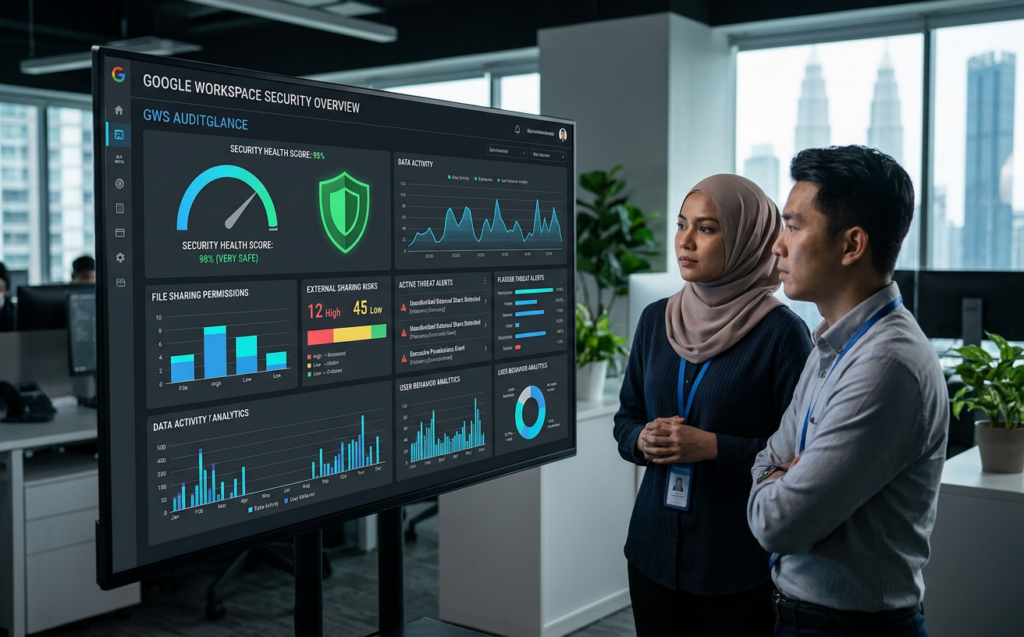
How GWS Auditglance Acts as the Ultimate Shield to prevent GWS data leaks
GWS Auditglance is a powerful, specialized platform designed to eliminate the complexity of Google Workspace auditing. Instead of relying on manual scripts or confusing, siloed admin consoles, GWS Auditglance provides security teams with a unified, real-time view of their entire domain’s sharing footprint.
By using continuous scanning, the platform enables you to prevent GWS data leaks before they escalate into major incidents. It automatically flags high-risk activities, such as documents shared with “Anyone with the link,” or files shared with unauthorized external domains. This allows your security team to quickly remediate vulnerabilities with a single click.
Learn how to set up contextual-aware access within Google Admin console.
Additionally, GWS Auditglance solves the problem of “shadow IT” and risky third-party integrations. It scans your workspace for unauthorized OAuth grants, letting you see exactly which external apps have access to your sensitive emails, drive files, and calendars. This level of transparency is exactly what is needed to prevent GWS data leaks effectively across your enterprise.
Securing Departing Employees to prevent GWS data leaks
The offboarding process is one of the most vulnerable periods for enterprise data security. When an employee prepares to leave the company, their risk profile increases exponentially. Without real-time auditing, departing employees can easily transfer ownership of critical corporate documents to their personal Google accounts.
By tracking file ownership changes and external shares, GWS Auditglance helps you prevent GWS data leaks during offboarding. The platform monitors for unusual file downloads, bulk copying, and sudden spikes in external email forwarding. This ensures your intellectual property remains safe and secure within your company’s borders.
Check out our checklist for secure offboarding of enterprise employees.
GWS Auditglance also automates the cleanup of orphaned files. When an employee leaves, their shared drives and files can easily become unmanaged, leaving sensitive data exposed to remaining staff who should not have access. GWS Auditglance allows admins to seamlessly reassign file ownership and revoke old permissions, keeping your workspace organized and secure.
A 5-Step Actionable Strategy to prevent GWS data leaks
Building a highly secure Google Workspace environment requires a structured, proactive approach. Below is an actionable framework that your IT and security teams can implement immediately using GWS Auditglance to secure your domain.
Applying this structured approach will allow your team to prevent GWS data leaks continuously, without adding to your IT department’s daily workload.
Review CISA’s official security configuration guide for Google Workspace.
One of the most powerful features of GWS Auditglance is its ability to run bulk remediations. Instead of going into each user’s account to manually remove an external share, admins can revoke permissions across thousands of files simultaneously. This single audit step is a foundational component to prevent GWS data leaks in bulk, saving your IT team hours of tedious work and significantly reducing your company’s cyber risk profile.

Conclusion
Securing your Google Workspace (GWS) environment to prevent GWS data leaks is no longer a luxury; it is an absolute necessity. As insider threats grow more complex and regulatory compliance standards become stricter, relying on basic, default security measures is a risk no enterprise can afford to take.
Leaving your Google Workspace unmonitored opens the door to costly data breaches, compliance failures, and reputational damage. GWS Auditglance gives your security teams the visibility, control, and automation they need to keep your corporate data secure and compliant.
Protect your business’s valuable intellectual property and customer trust. Secure your Google Workspace with GWS Auditglance today and prevent GWS data leaks before they happen!