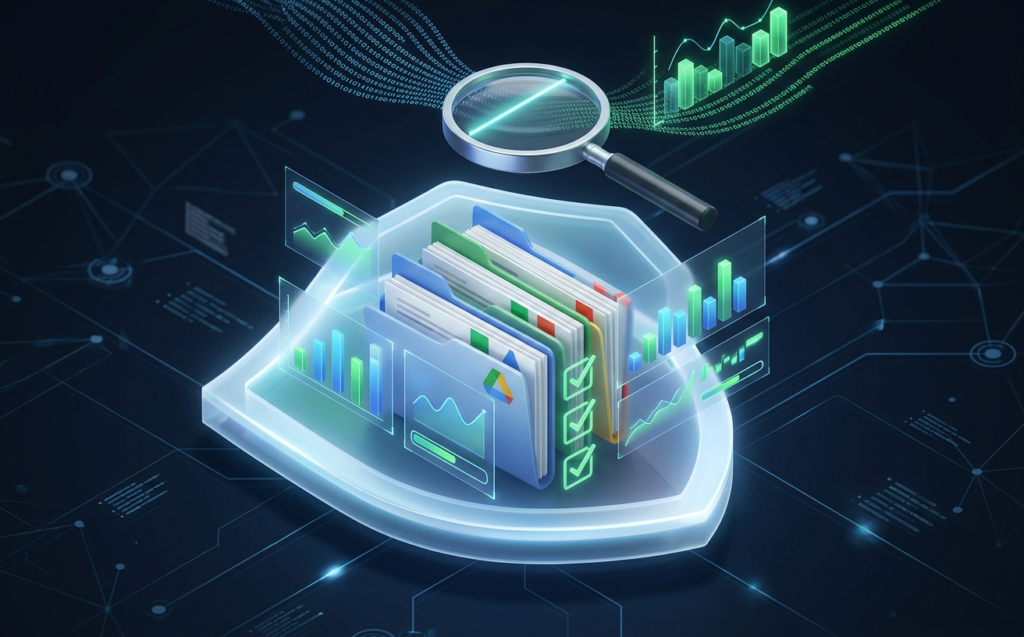
When was the last time your organization conducted a comprehensive Google Workspace Security Audit to ensure that sensitive company data is fully protected? As hybrid work becomes the default standard for global teams, managing cloud data exposure has turned into a constant challenge for IT administrators. Without real-time visibility, security gaps can quietly form and remain unnoticed for months.
To bridge this critical visibility gap, enterprises are turning to specialized auditing solutions. GWS Auditglance, built by Google Cloud Premier Partner Matrix Connexion, offers a revolutionary approach to securing your collaborative environment.
By turning complex logs into instant, actionable answers, it transforms how security teams maintain compliance.
Table of Contents
Why You Need a Proactive Google Workspace Security Audit
Google Workspace contains the lifeblood of your modern business operations, housing financial reports, employee records, and proprietary designs.
However, keeping track of who can access this information is an increasingly monumental task. Many IT teams struggle to perform a manual Google Workspace Security Audit because of the sheer volume of daily log events.
The Google Admin Console does provide standard audit logs and access control reports, but they are often highly reactive.
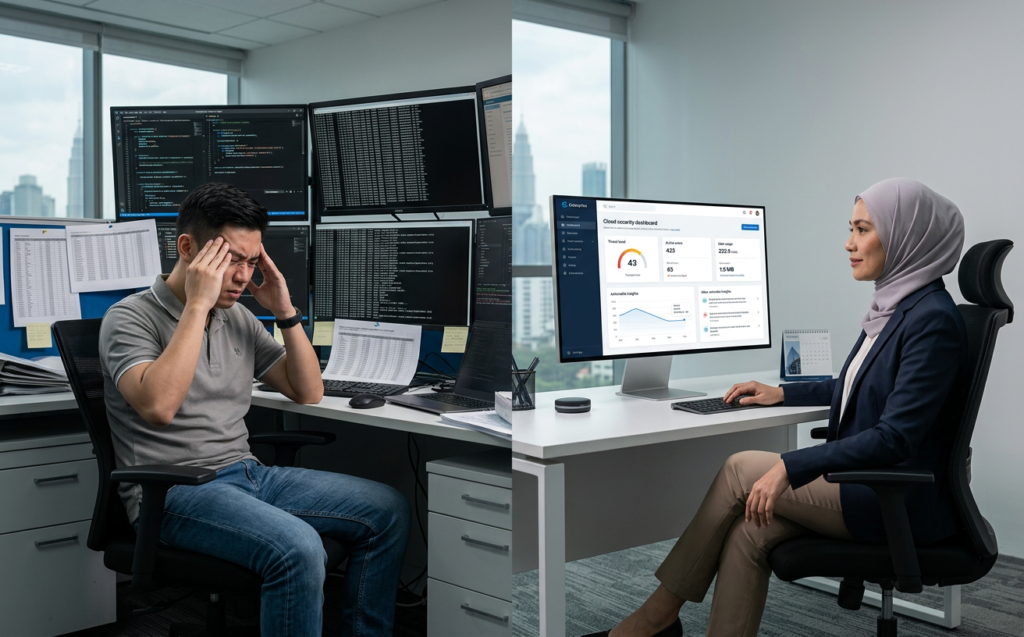
Administrators find themselves exporting massive CSV files, writing custom SQL queries, and wasting hours manually correlating entries.
This tedious approach means that critical security threats are frequently identified only after a data breach has occurred.
To protect your digital assets, you need continuous visibility rather than manual, periodic checks. This is why having a robust third-party auditing platform is no longer a luxury but an essential business requirement. It shifts your security posture from reactive firefighting to proactive, automated defense.
How GWS Auditglance Revolutionizes Your Google Workspace Security Audit
Traditional audit methods make a Google Workspace Security Audit feel like looking for a needle in a digital haystack.
GWS Auditglance eliminates this complexity by automatically processing millions of raw event logs into clear, categorized insights. This powerful platform processes over 7 million events into more than 100 specialized security views.
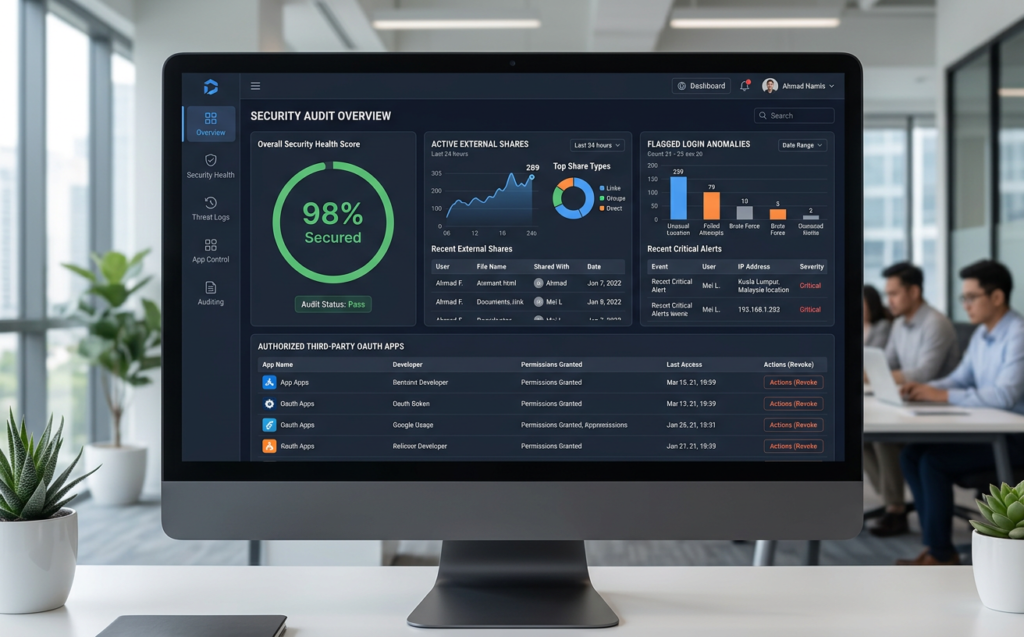
Instead of spending days sifting through logs, your security team gets hourly updates with no complex coding or database queries required. This allows you to immediately pinpoint sharing violations, identify login anomalies, and monitor third-party app integrations. With GWS Auditglance, running a Google Workspace Security Audit becomes an automated, hourly process.
Uncovering Hidden Vulnerabilities Through an Automated Google Workspace Security Audit
Conducting a continuous Google Workspace Security Audit helps you discover critical vulnerabilities that usually bypass standard IT defenses. For example, employee behavior, dormant accounts, and unauthorized software installations are often completely invisible on standard admin consoles. Automated auditing shines a spotlight on these hidden risks before they can be exploited.
By automating the ingestion of Google Workspace logs, your IT team can instantly verify if your current safety policies are actually being followed in real-time. This continuous oversight is vital for maintaining organizational trust and ensuring robust data protection. It bridges the gap between passive policy creation and active, everyday enforcement.
Step 1: Identify and Rectify File Sharing Violations
File sharing is undoubtedly the most significant vector for accidental data exposure in modern cloud environments.
Employees frequently create shareable links set to ‘Anyone with the link’ to collaborate quickly with external vendors. Without a regular Google Workspace Security Audit, tracking these external link exposures is nearly impossible.
Over time, these shared documents remain active, leaving sensitive corporate data open to unauthorized access indefinitely.
GWS Auditglance scans your entire Google Drive structure to surface every single file that has been shared outside your corporate domain.
This helps your IT team quickly revoke access to confidential files that should never have been made public.
When analyzing external exposure, GWS Auditglance helps you categorize sharing violations into distinct risk profiles:
- Public Link Sharing: Files set to ‘Anyone with the link’ which are accessible to the public web.
- External Domain Shares: Files shared with specific competitor or external partner domains.
- Personal Email Sharing: Files shared with personal Gmail or Yahoo accounts of former employees.
To learn more about optimizing your cloud storage permissions, you can read our guide on Best practices for configuring Google Drive sharing settings internally. This internal framework, combined with automated monitoring, builds a highly resilient defense against data leaks. It keeps your files secure without slowing down daily business operations.
Step 2: Manage OAuth Risk and Third-Party App Access
Shadow IT poses a silent but incredibly severe threat to modern corporate networks. Employees often connect third-party productivity apps or tools to their corporate Google accounts with a single click. This is where a proactive Google Workspace Security Audit protects your system from silent data extraction.
When users grant broad OAuth permissions to unverified applications, they might accidentally allow those apps to read emails, modify calendar events, or access Drive files.
GWS Auditglance lists and categorizes every third-party application that has been granted access to your workspace.
This visibility allows security teams to instantly revoke risky permissions and enforce strict application whitelisting.
For an authoritative overview of how these external integrations access your workspace metadata, refer to Google's official documentation on Workspace security logs and data protection practices.
Understanding these raw log behaviors is essential for evaluating third-party risks. It gives you the technical foundation needed to make informed security decisions.
Step 3: Analyze Login Anomalies and Behavioral Risks
Credential theft and compromised accounts are major entry points for malicious actors targeting enterprise cloud environments. Spotting these patterns is a cornerstone of an effective Google Workspace Security Audit.
Traditional logs might record successful logins, but they rarely highlight the subtle behavioral anomalies that indicate a compromised session.
GWS Auditglance analyzes user behavior to detect high-risk anomalies, such as impossible travel velocity or multiple failed login attempts from unusual locations.
If an account logs in from Kuala Lumpur and then thirty minutes later from London, the system flags this activity immediately. This real-time visibility allows your IT department to suspend the compromised account and prevent potential data exfiltration.
Every enterprise should establish a cadence for their Google Workspace Security Audit to satisfy modern compliance audits and catch behavioral risks early.
By monitoring these patterns on an hourly basis, you can stop active threats before they escalate into full-scale breaches.
It keeps your cloud perimeter highly secure against modern identity-based attacks.
Step 4: Streamline Compliance with Instant Security Views
Regulatory frameworks like the Personal Data Protection Act (PDPA) require companies to maintain strict control over user access. Ensuring continuous compliance requires a modern approach to your Google Workspace Security Audit.
GWS Auditglance simplifies compliance reporting by providing over 100 pre-configured security views that are ready to present to auditors.
Instead of writing complicated database scripts to gather compliance evidence, IT managers can simply export pre-built, hourly-updated reports.
This reduces audit preparation time from several weeks to just a few clicks. It ensures your organization is always audit-ready, avoiding heavy regulatory penalties and protecting your brand’s reputation.
Preparing for an audit can be broken down into three simple stages using Auditglance’s dashboards:
- Identify Scopes: Select the specific compliance framework (e.g., PDPA) within the dashboard views.
- Review Violations: Examine the auto-generated checklist of flagged permission anomalies.
- Export Reports: Generate comprehensive compliance reports with one click to present directly to auditors.
To help you navigate regional regulatory standards, we have put together our comprehensive compliance checklist for cloud workspaces in Malaysia. Utilizing this checklist alongside Auditglance’s automated dashboard ensures your business remains perfectly compliant with regional data laws. It takes the stress out of complex compliance management.
Step 5: Move from Reactive Log Management to Proactive Governance
Many organizations view security auditing as a periodic, stressful chore done once a year. Rather than waiting for an annual check, continuous auditing ensures your Google Workspace Security Audit is always up to date.
By shifting your strategy, your next Google Workspace Security Audit will be a breeze.
Continuous cloud governance means that security is treated as an active, ongoing business process rather than a static checkbox.
GWS Auditglance empowers your team to monitor your collaborative ecosystem effortlessly, day in and day out.
This constant oversight ensures that no new security loopholes or misconfigurations can go unnoticed for long.
For best-practice standards on cloud log management, we recommend reviewing the NIST Cloud Computing Security Guidelines regarding log auditing and continuous monitoring. Following these internationally recognized frameworks ensures your security practices align with global industry standards. It elevates your overall cybersecurity maturity level.
By implementing these five steps, you can complete a Google Workspace Security Audit without writing a single line of SQL.
The goal of any Google Workspace Security Audit is to minimize external exposure and secure administrative privileges.
Let GWS Auditglance handle the complex data correlation so you can focus on driving strategic growth.
Securing Your Enterprise with Matrix Connexion and GWS Auditglance
Securing your collaborative cloud environment starts with a thorough Google Workspace Security Audit. As a trusted Google Cloud Premier Partner with over 17 years of experience, Matrix Connexion helps enterprises optimize and protect their cloud investments.
We provide the expertise and tools necessary to keep your business-critical data completely safe from modern threats.
To get started on securing your domain, we invite you to book a free 60-second diagnostic or explore our specialized services at 'A guide to our managed security baseline assessment services‘.
Our dedicated team of cloud security experts is always ready to help you implement robust access controls.
Let us help you transform your IT department into a proactive powerhouse of security and compliance.
Are you ready to stop managing complex spreadsheets and start getting instant, hourly answers about your workspace security?
Contact Matrix Connexion today to schedule a 30-minute strategy call and see GWS Auditglance in action.
Let’s partner together to build a more secure, compliant, and highly efficient collaborative future for your business.