
In an era where data breaches cost companies millions of dollars in regulatory fines and reputational damage, establishing robust Cloud Security is no longer a luxury—it is the foundation of digital survival. As enterprise workloads migrate to Google Cloud Platform (GCP), managing complex cloud infrastructures introduces massive vulnerabilities.
Without continuous auditing, your organization is playing Russian roulette with its Cloud Security posture, leaving doors wide open for malicious actors. In this comprehensive guide, we will expose the most critical mistakes enterprises make in their cloud environments and demonstrate how GCP Auditglance provides the exact visibility you need to protect and optimize your infrastructure.
Table of Contents
1. The High Cost of Neglecting Cloud Security in GCP
When organizations fail to monitor their GCP environment, their overall Cloud Security takes a massive hit. It is easy to assume that because Google manages the underlying physical data centers, your digital assets are automatically safe. This is a dangerous misconception known as the Shared Responsibility Model. Google secures the cloud, but you must secure your data and configurations within the cloud.
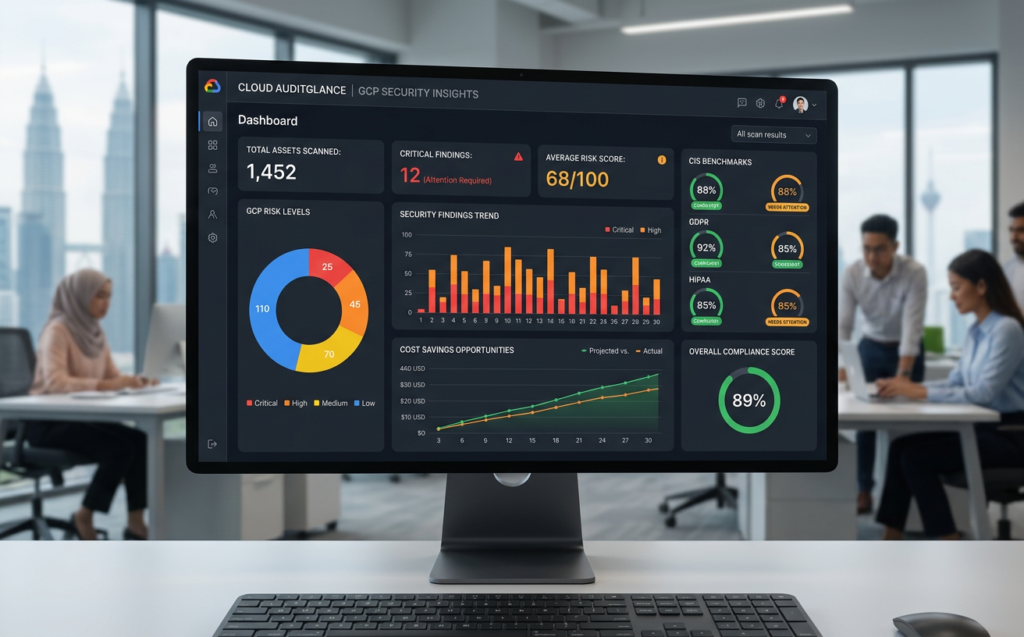
Without a tool like GCP Auditglance, simple configuration errors can go unnoticed for months. Consider these three common, highly critical vulnerabilities that are frequently left exposed in un-audited environments:
| Vulnerability Type | Real-World Example | Potential Impact / Exploit | Risk Level |
|---|---|---|---|
| Exposed Storage Buckets | Public GCS bucket named my-app-data-prod | Unauthorized public access to proprietary source code, customer databases, or financial records. | CRITICAL |
| Over-Privileged Identity | Service account with primitive Owner role: deploy-sa@project.iam | Credentials leak allows an attacker full control over the entire GCP organization, enabling data theft and ransomware. | HIGH |
| Misconfigured Network | Firewall rule allowing SSH open to 0.0.0.0/0 (default-allow-ssh) | Brute-force SSH attacks or exploitation of remote code execution vulnerabilities on VM instances. | MEDIUM |
Exposed service accounts with primitive owner roles are a ticking time bomb for your Cloud Security. If a developer hardcodes a service account key into a public repository, an attacker can hijack your entire GCP project in seconds. The financial fallout from such a breach goes beyond regulatory penalties; it destroys consumer trust and halts operations.
2. Why Native Tools Fall Short of Modern Cloud Security Needs
Many cloud administrators rely solely on native tools like Google Cloud’s Security Command Center (SCC) or GCP Recommender. While these native tools are incredibly powerful, they often operate in isolated siloes. Native security logs can be overwhelming, making it nearly impossible to maintain effective Cloud Security without a dedicated, highly trained security operations team.
The primary issue is “alert fatigue.” When SCC surfaces thousands of un-triaged findings, busy DevOps teams quickly become desensitized. Critical vulnerabilities get buried under a mountain of low-priority informational warnings.
You can check out: Strengthening Cybersecurity with Google Cloud: A Zero-Trust Approach
Without clear, AI-driven prioritization, your Cloud Security team will suffer from terminal alert fatigue. They cannot separate the signal from the noise. GCP Auditglance addresses this directly by consolidating asset visibility, risk scoring, compliance drift, and cost waste into a single, unified multi-tenant SaaS dashboard. It triages findings based on real-world impact, ensuring your engineers fix what actually matters first.
3. Establishing an Actionable Cloud Security Compliance Baseline
To satisfy modern business requirements, enterprise security leaders must continuously prove their compliance with global standards. Mapping your assets to CIS benchmarks is critical to validate your Cloud Security status to stakeholders, customers, and board members.
However, preparing for an audit is traditionally a grueling, manual process. Teams spend weeks compiling spreadsheets, capturing screenshots of cloud configurations, and exporting IAM policies.
Check out: Center for Internet Security (CIS) Google Cloud Computing Platform Benchmark
GCP Auditglance changes this paradigm entirely by offering automated compliance mapping. It continuously evaluates your GCP assets against major benchmarks, including:
- CIS GCP Foundations Benchmark: The industry standard for basic GCP hardening.
- SOC 2 Type II: Critical for B2B service providers storing customer data.
- PCI-DSS: Non-negotiable for any cloud environment processing credit card transactions.
Continuous monitoring ensures that your compliance and Cloud Security efforts are not just point-in-time checks, but an ongoing, verifiable state of operational excellence. Whenever an auditor requests evidence, you can instantly export scheduled PDF reports that prove your continuous coverage.
4. Dual Benefits: Linking Cost Optimization and Cloud Security
Most enterprises view IT spend and Cloud Security as entirely separate disciplines managed by different teams. The finance department looks at billing reports, while the security team looks at vulnerability scans. This separation is a missed opportunity because cloud waste and security risks are deeply interconnected.
For instance, consider a dormant virtual machine that was spun up for a temporary testing phase but never terminated. From a financial perspective, this idle resource is draining your budget. From a security perspective, it represents an unpatched, unmonitored target waiting to be compromised.
                  ┌──────────────────────────────────────────┐
                  │          The FinSec Connection           │
                  └────────────────────┬─────────────────────┘
                                       │
                ┌──────────────────────┴──────────────────────┐
                ▼                                             ▼
     ┌─────────────────────┐                       ┌─────────────────────┐
     │     Cloud Waste     │                       │    Security Risks   │
     │  (Stale VM Snapshot)│                       │  (Unpatched OS Bug) │
     └──────────┬──────────┘                       └──────────┬──────────┘
                │                                             │
                └──────────────────────┬──────────────────────┘
                                       ▼
                  ┌──────────────────────────────────────────┐
                  │        GCP Auditglance Solution          │
                  │   - Delete stale IPs and Snapshots       │
                  │   - Close open attack vectors            │
                  │   - Cut useless monthly cloud spend      │
                  └──────────────────────────────────────────┘
By cleaning up stale snapshots and unused IPs, you simultaneously bolster your Cloud Security and reduce waste. GCP Auditglance elegantly merges these priorities on a single screen. Alongside critical vulnerability findings, it surfaces actionable suggestions from the GCP Recommender to spot idle resources, stale disk snapshots, and unutilized static IPs. Addressing these recommendations allows you to fund your security team using the immediate savings discovered in your cloud budget.
5. How AI Triage Transforms Cloud Security Remediation
Once a security risk is identified, the clock starts ticking. The longer a vulnerability remains open, the higher the probability of an active exploit. Unfortunately, traditional scanners merely point out the problem without explaining how to fix it, forcing busy engineers to sift through complex documentation.
AI-assisted explanations bridge the gap between detection and cure in your Cloud Security workflow. GCP Auditglance incorporates powerful artificial intelligence directly into the findings dashboard.
Learn more: Secure Cloud Infrastructure: How to Scale Without Compromise on Google Cloud
This translates into faster remediation times, allowing even junior engineers to resolve complex Cloud Security issues without waiting for senior architecture reviews. The platform’s AI analyzes the vulnerability, explains the underlying risk in plain language, and provides a clear, step-by-step terminal command or console guide to fix the loophole.
6. Read-Only Security: The Gold Standard for Enterprise Safeguards
A major friction point when adopting third-party cloud tools is the security of the tool itself. Ops teams are notoriously cautious about granting third-party access, which is why read-only design is crucial for Cloud Security. The last thing a CISO wants is an external platform possessing write or delete permissions over their production workloads.
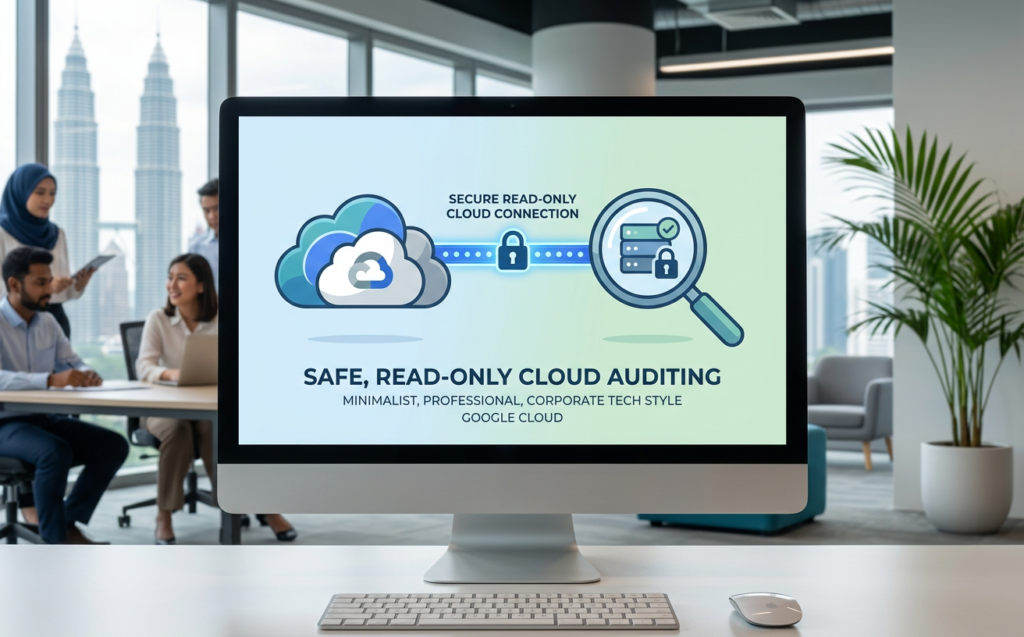
GCP Auditglance is built from the ground up on a read-only, zero-mutation architecture. It never alters your live environment, ensuring absolute safety.
                                      READ-ONLY ACCESS ONLY
  ┌───────────────────────┐         ┌─────────────────────────┐         ┌───────────────────────┐
  │  GCP Auditglance SaaS  ├────────►│ Read-Only IAM Role Key  ├────────►│  Your Production GCP  │
  │                       │         │ (AES-256-GCM Encrypted) │         │       Workloads       │
  └───────────────────────┘         └─────────────────────────┘         └───────────────────────┘
                                                 │
                                                 ▼
                                      Zero Risk of Downtime
                                      Zero Mutation of Assets
This approach keeps your environment pristine while delivering comprehensive insight into your Cloud Security vulnerabilities. By connecting via a restricted, least-privilege service account, you ensure there is zero risk of automated tools causing accidental downtime or unauthorized configuration changes. The JSON keys you provide are encrypted at rest using industry-standard AES-256-GCM encryption, and you retain complete authority to revoke access directly from your Google Cloud Console at any second.
7. The 3-Step Journey from Chaos to Clarity
Implementing enterprise-grade auditing shouldn’t take weeks of integration meetings. GCP Auditglance simplifies the entire onboarding pipeline into three straightforward, friction-free phases:
- CONNECT: Provision a read-only service account within your Google Cloud project. Upload the JSON key securely to the platform.
- SCAN: The high-speed Matrix Connexion auditing engine enumerates your assets, runs automated audit policies, and evaluates recommendations within minutes.
- ACT: View your prioritized dashboard instantly on the Free Tier. When you upgrade to Pro or Max, you unlock scheduled stakeholders exports, deep AI triage explanations, and premium remediation workflows.
Additional reading: Google Cloud Security Command Center Overview
For large enterprises requiring an extra layer of hands-on expertise, the Max Tier pairs the software platform with Matrix Connexion’s dedicated managed-service team. These are the same world-class engineers managing complex cloud environments for hundreds of Southeast Asia’s leading enterprises. You receive monthly personalized reviews, guaranteed 24-hour SLAs on critical issues, and direct engineering assistance to help your internal team fix whatever the scanner surfaces.
8. What Happens to Organizations that Postpone Cloud Security?
The consequences of delaying your Cloud Security audits are swift and unforgiving. Organizations that operate without continuous monitoring inevitably suffer from invisible security drift. Over time, developers create temporary service accounts, open firewalls for quick tests, and accidentally expose database buckets to the public internet.
Day 1: Flawless Security Architecture -> Built by Lead Architects
Day 30: Temporary firewall rule added -> "Just for testing"
Day 90: Public bucket misconfigured -> Developer error
Day 120: EXPLOITED BY ATTACKERS -> Massive Data Breach & Regulatory Fines
If you do not subscribe to a continuous auditing solution like GCP Auditglance, you are blind to this drift. You won’t know you have been breached until a security researcher contacts you, or worse, your customer data is posted on an exploit forum. Postponing auditing because “everything seems fine today” is an invitation for operational catastrophe.
9. Conclusion: Secure Your GCP Assets in Minutes
Securing your GCP assets does not require complex, invasive projects that derail your Cloud Security team. With GCP Auditglance, you can gain complete clarity over your vulnerabilities, compliance drifts, and cloud spend in less than two minutes.
Additional read: The Ultimate Guide to GCP Recommender and Cost Savings
There is no credit card required, no sales call to sit through, and zero risk to your production workloads. Connect your read-only service account today and instantly visualize the gaps in your cloud posture before someone else does.
Take Control of Your Cloud Today
Are you ready to see your GCP environment with absolute clarity? Don’t wait for an unexpected audit failure or a preventable data breach to take action.